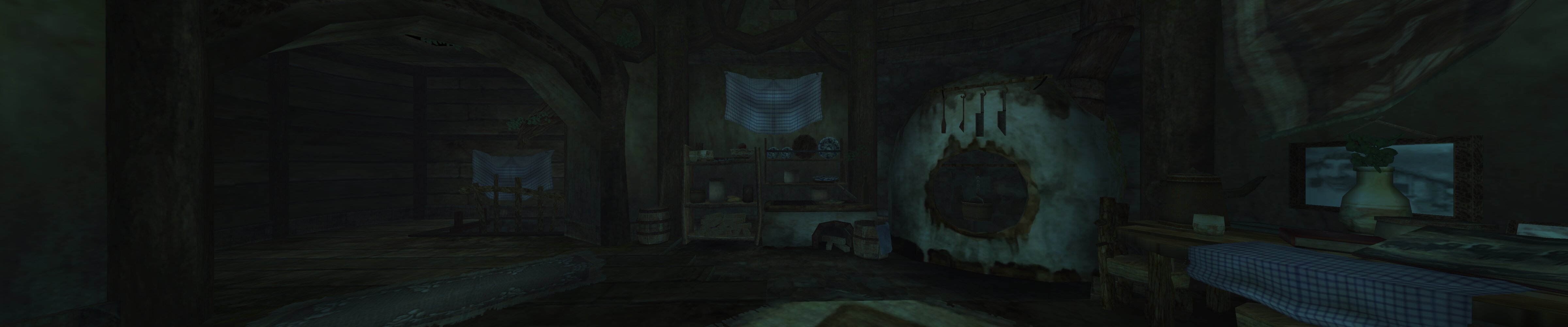
Stereo depth
The world is rendered in stereo, and you can look around freely. You remain alongside Link, following his actions from the game’s third-person perspective. Presence without becoming the protagonist.
Duskcone is a Meta Quest port of Dusklight. Play with stereo depth and the freedom to look around, while preserving the game’s pace and direction.
Quest 2 · Quest 3 · Quest 3S Experimental · Your own game required
Duskcone treats the headset as an immersive display for the existing game. Combat, movement, controls, camera direction, and cutscenes were designed together. Duskcone’s job is to carry that design into VR.
The experience
Duskcone brings an existing game into VR on the strength of its original design. The experiment is to make the game’s third-person camera comfortable in VR without losing the sense of being in the world. The original developers’ decisions still guide the controls, combat, and cutscenes.
The world is rendered in stereo, and you can look around freely. You remain alongside Link, following his actions from the game’s third-person perspective. Presence without becoming the protagonist.
Play the game seated with the Touch controllers or a gamepad. No need to stand up, clear a play space, or adjust height settings to make seated play work. You can just play the game.
Duskcone is designed to be approachable even if you’re new to VR or sensitive to motion. Comfort guides how the game is presented, with adjustments for different tolerances.
A forgotten approach to comfort
Duskcone revives Google Daydream Labs’ tunneling approach (2017): keeping a stable reference (the “cage” or “home”) around a reduced moving view (the “iris” or “portal”). The game’s camera can move within that view while the player retains a stationary reference in their peripheral vision.
Duskcone expands on that idea by varying the portal size with the kind of camera movement and anchoring the portal in the world rather than to the HMD.
When the game camera is still, the portal expands fully into 360° VR. Its edges disappear, and the game world surrounds you.
Moving Link or steering the camera uses a larger portal. In testing, this predictable, player-driven motion has been easier to tolerate, allowing more of the world to stay in view.
Cutscenes, forced camera pans, falls, and knockback can quickly contract the view to a TV-sized window, leaving more stable surroundings visible. When the camera settles, the portal gradually opens again.
Duskcone explores whether reducing the strain of camera movement can make a familiar game more inviting to spend time with—and return to.
From browser to headset
The launcher can install Duskcone and transfer your game files over WebUSB. You can also download the game in the Quest browser and finish setup in the headset. You’ll need a disc image made from your own copy of Twilight Princess.
Open the launcherUse a computer for guided setup over WebUSB, or download the APK directly on Quest. Developer mode is needed for the USB route.
Follow the launcher’s WebUSB steps, or open the downloaded APK in the headset’s Files app.
Transfer your disc image and optional textures through the WebUSB launcher, or copy them yourself and select the game inside Duskcone.
Installation & compatibility
No. You provide a disc image made from your own copy of Twilight Princess. For help making one, see Dolphin’s game-ripping guide . The USB launcher accepts ISO, GCM, RVZ, WIA, WBFS, CISO, GCZ, and TGC files.
Duskcone supports Quest 2, Quest 3, and Quest 3S. Other OpenXR devices may work fully or partially, but this launcher is built for Quest.
USB installation and file transfers require a desktop Chromium browser with WebUSB, such as Chrome or Edge, over HTTPS. Safari and Firefox do not support this USB flow. You can also download the APK directly in the Quest browser; you must copy your game files and finish setup yourself. Phone-to-Quest USB installation has not been verified.
On Touch controllers, rest your left thumb on the left controller’s thumb rest, then move the right stick. Duskcone uses Virtual Desktop-inspired D-pad emulation: while the thumb rest is touched, the right stick sends D-pad inputs instead of moving the camera.
Use up or down for the quick inventory and left or right for the map controls, including the dungeon map. Lift your left thumb off the thumb rest to use the right stick for the camera again.
With Touch controllers and motion-controlled items, press the grip button on the hand you want to aim with. Press the other controller’s grip to switch hands.
For the physical bow and slingshot, release the string or pouch, keep your hands apart, then press the grip on the hand you want to hold the bow or slingshot. When your hands are close together, the grip grabs the string or pouch instead.
You can transfer texture packs with the USB launcher. Duskcone also reads .dusk mod packages. Mods are off by default; enable them in Settings → Interface → Mod Support, then restart. Compatibility varies, and mods that need the graphics service cannot run in VR.
Compatible updates keep your game files, saves, and settings. The USB installer stops if Android rejects the APK’s signing certificate or version. Uninstalling Duskcone removes its app-specific files, including saves. Use the launcher’s Save Manager over USB to download your saves or make a full backup before uninstalling.
Duskcone is an independent, experimental VR port of Dusklight, the reimplementation of Twilight Princess for modern hardware. It builds on the work of Dusklight, Aurora, Borealis, and their contributors. Source code for the Quest port is coming soon.